Tutorial: Receiving Webhooks & Validating Signatures
In this tutorial, you’ll build a working webhook receiver that listens for Verifa events, validates their HMAC-SHA256 signatures, and processes them safely. By the end, you’ll have a production-ready webhook handler you can adapt to your stack.
Without signature verification, anyone who discovers your webhook URL can send fake events to your server — potentially granting unauthorized access to users, triggering incorrect business logic, or corrupting your data. Verifying the HMAC-SHA256 signature on every request ensures the event genuinely came from Verifa and hasn’t been tampered with in transit.
What you’ll learn
- Creating a webhook endpoint via the Verifa API
- Building a receiver that verifies signatures
- Testing your endpoint with Verifa’s built-in test tool
- Handling retries, duplicates, and secret rotation
Prerequisites
- A Verifa account with API access (sign up)
- An API key with
webhooks:readandwebhooks:writescopes - One of: Node.js 18+, Python 3.10+, Go 1.21+, or any language with HMAC-SHA256 support
- A publicly accessible URL (use ngrok for local development)
Step 1: Expose your local server
During development, your webhook receiver needs a public URL that Verifa can reach. Start an ngrok tunnel (or any similar tool):
Copy the forwarding URL (e.g., https://a1b2c3.ngrok.io). You’ll use this when
creating your webhook endpoint.
Step 2: Create a webhook endpoint
You can create a webhook endpoint from the dashboard or via the API.
Option A: Using the dashboard
From the dashboard, expand Webhooks under the Developers section in the left sidebar, then click Webhooks.
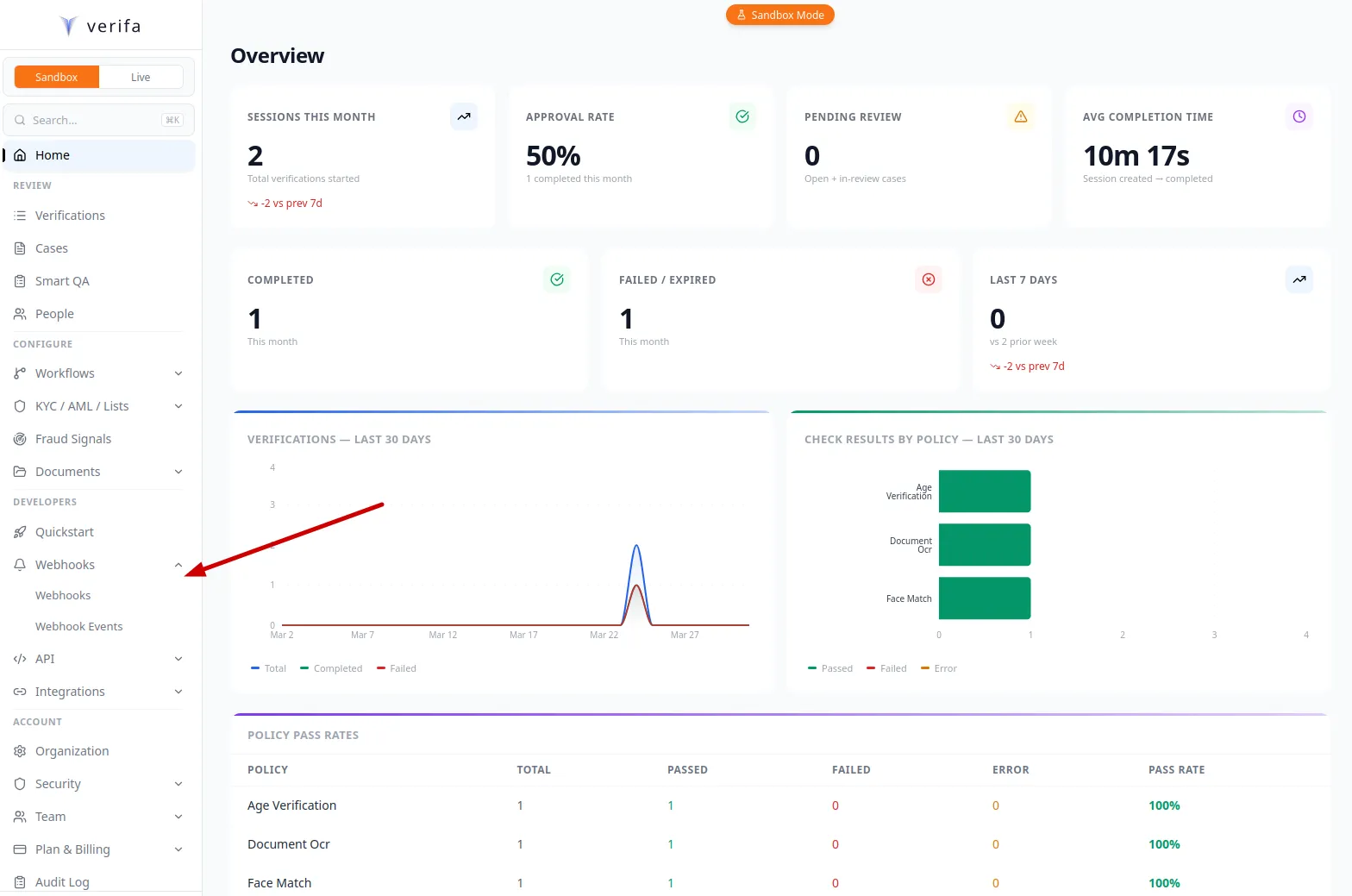
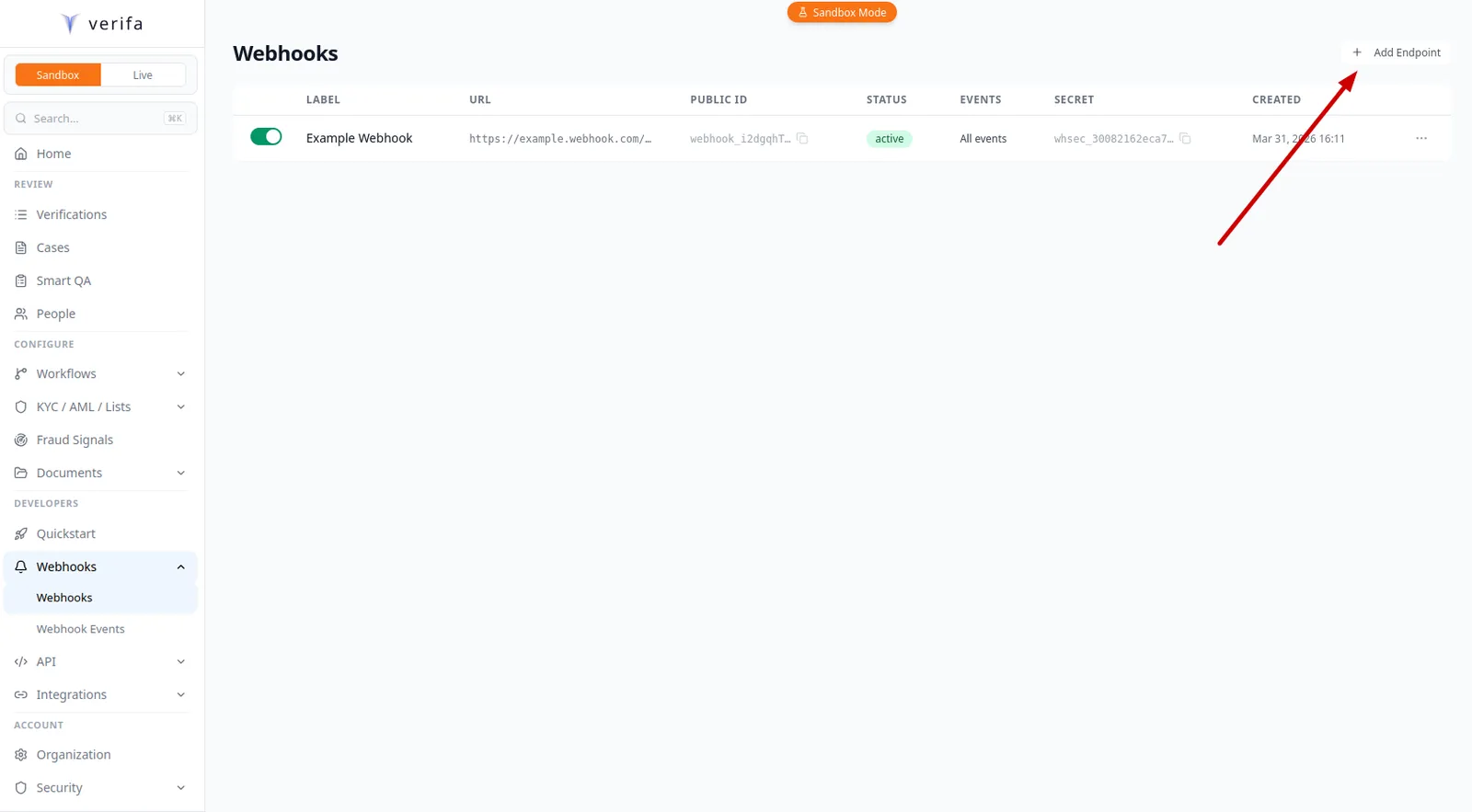
Click + Add Endpoint in the top right corner.
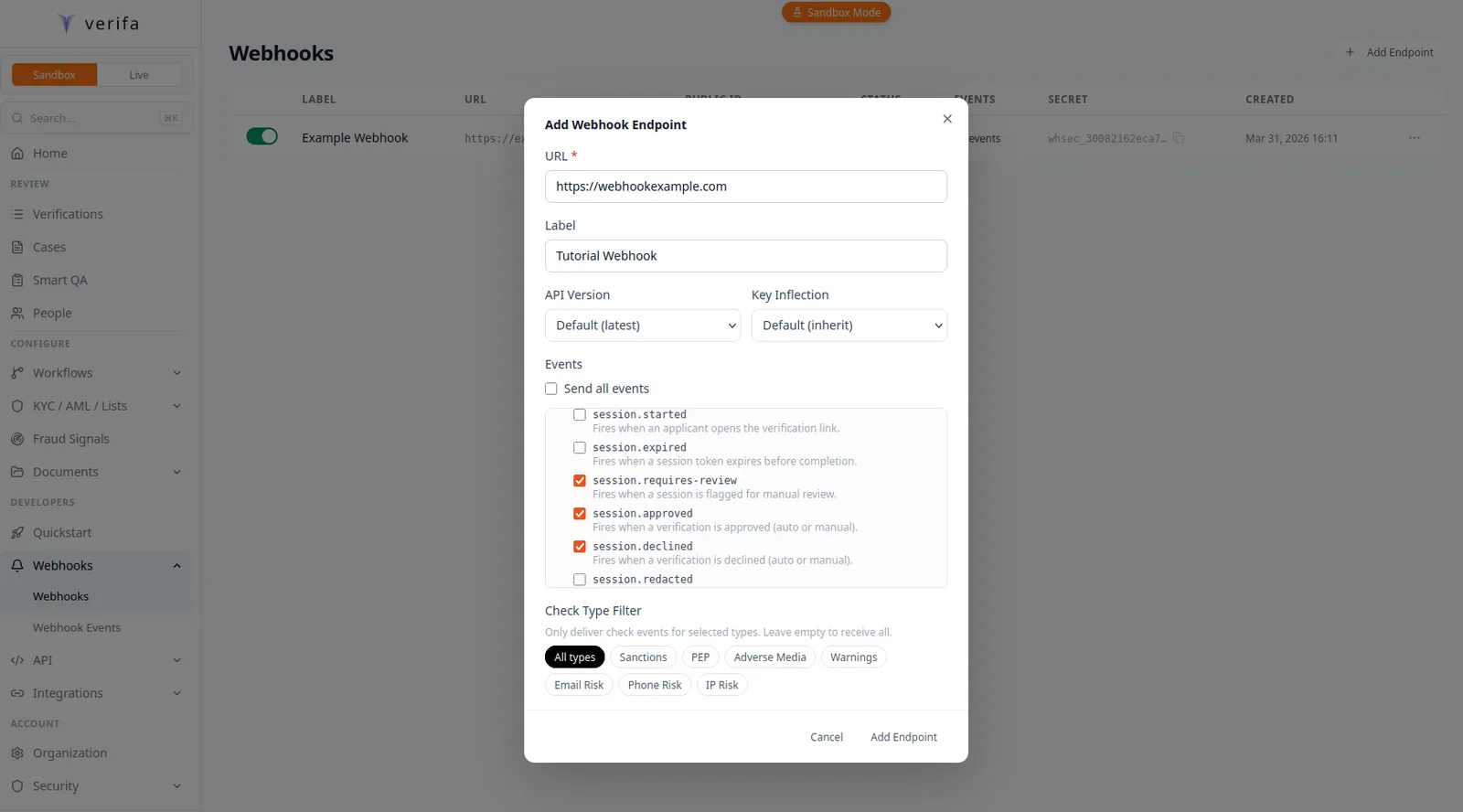
Fill in your endpoint details in the Add Webhook Endpoint modal:
- URL: Paste your ngrok forwarding URL (e.g.,
https://a1b2c3.ngrok.io/webhooks/verifa) - Label:
Tutorial Webhook - Events: Check
session.approved,session.declined, andsession.requires-review
You can also configure API Version, Key Inflection, and Check Type Filter — leave them as defaults for now.
Click Add Endpoint. A Webhook Created modal appears with your signing secret and a Copy button.
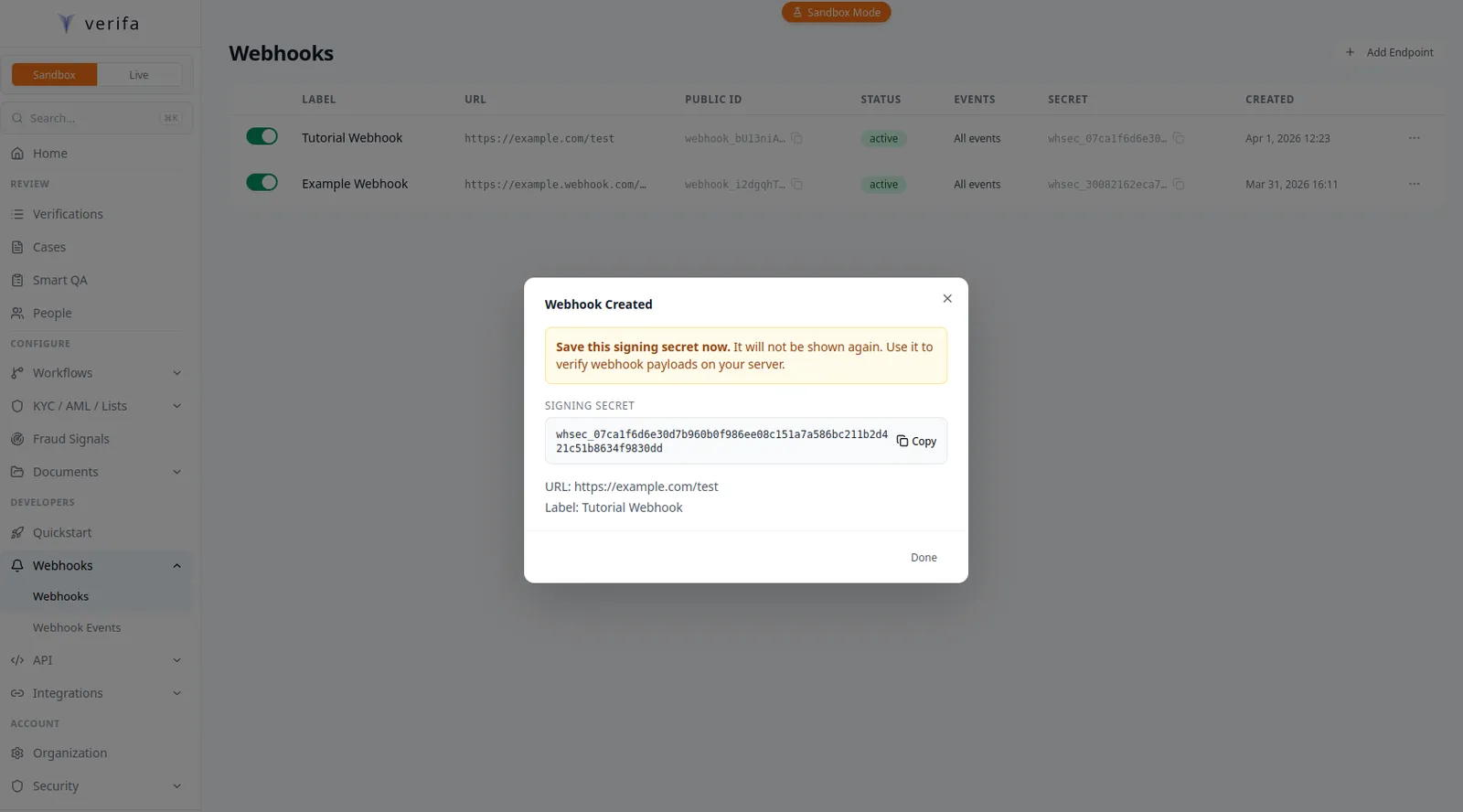
Copy the signing secret now using the Copy button. The modal warns: “Save this signing secret now. It will not be shown again.” If you lose it, you’ll need to rotate to get a new one.
Option B: Using the API
Save the secret value immediately. It is only returned when the endpoint is
created and when you rotate the secret. You cannot retrieve it later. (In
sandbox mode, the secret remains visible on GET requests.)
Store the secret
Whichever method you used, store the secret as an environment variable:
Step 3: Build your webhook receiver
Choose your language and build a handler that receives the raw request body, verifies the HMAC-SHA256 signature, and processes the event.
How signature verification works
Every webhook Verifa sends includes an X-Verifa-Signature header in the
Stripe-style t=<unix_ts>,v1=<hex_hmac> format. The HMAC-SHA256 covers the
timestamp and body joined by a literal .:
- Key: Your endpoint’s signing secret (the
whsec_...value) - Message:
f"{timestamp}.{raw_request_body}"— the Unix timestamp fromt=, a literal period, then the raw HTTP request body bytes Verifa sent
To verify, you parse t= and v1= out of the header, recompute the HMAC over
{t}.{body}, and compare it to v1 using a constant-time comparison. You then
reject any delivery whose t= value is more than five minutes away from your
current clock — this is the replay-protection window enforced by every Verifa
client (tolerance_seconds=300).
For backwards compatibility during the deprecation window, the verification
helper in src/core/security.py:verify_webhook_signature also accepts the
legacy bare-hex HMAC over the raw body. New outbound deliveries always use the
timestamped format, so you should implement the new format in your receiver
and only fall back to the legacy form if you have in-flight deliveries to
drain.
You must use the raw request body bytes for verification, not a parsed-and-re-serialized JSON object. Parsing and re-serializing can change key order, spacing, or encoding, which will produce a different hash.
Reference recipe
The recipe receivers should follow:
Build the handler
Node.js (Express)
Python (FastAPI)
Create a file called server.js:
Run it:
Step 4: Test your endpoint
With your server running and ngrok forwarding traffic, send a test event to verify everything is wired up.
From the dashboard
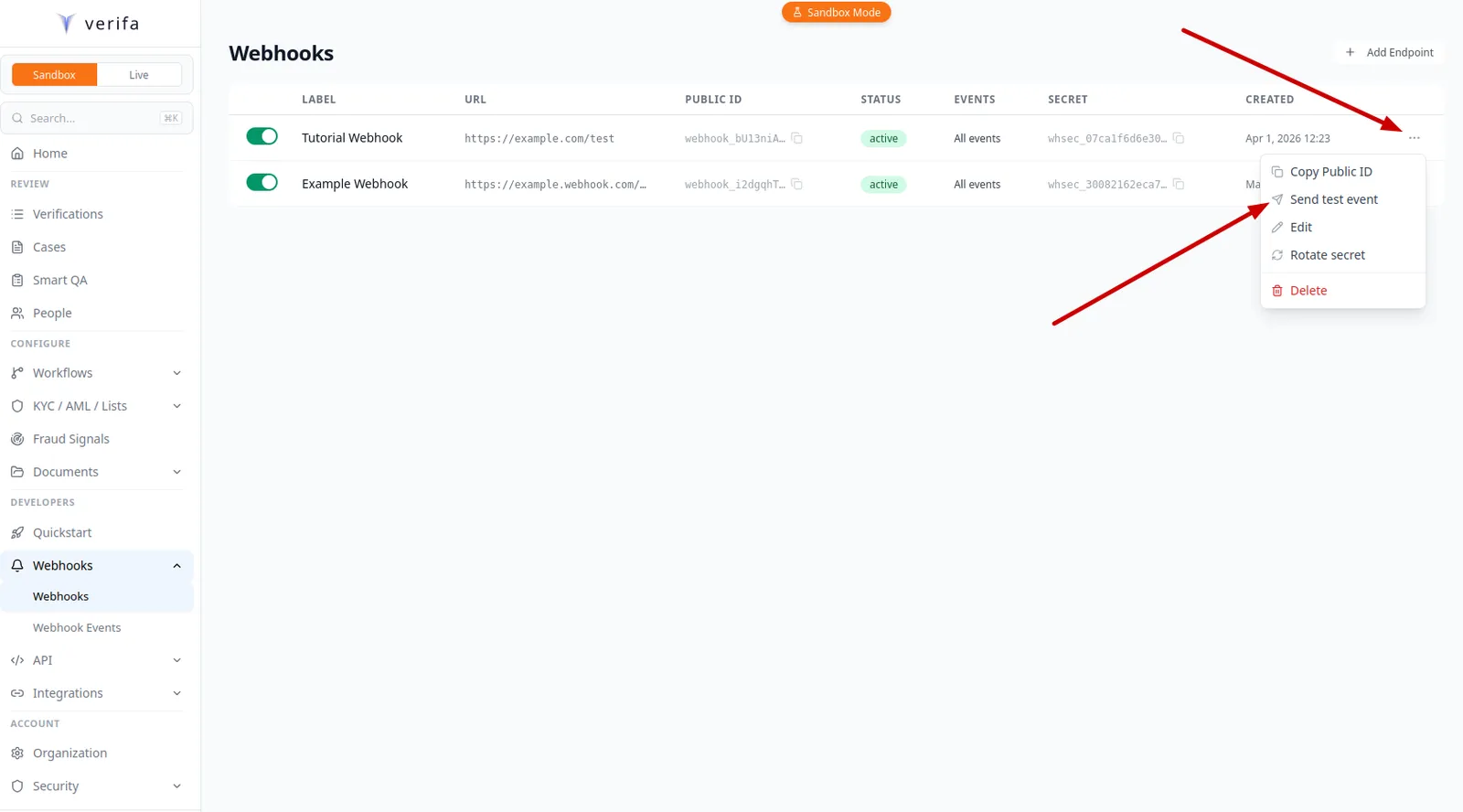
On the Webhooks list page, click the … menu on your endpoint’s row and select Send test event.
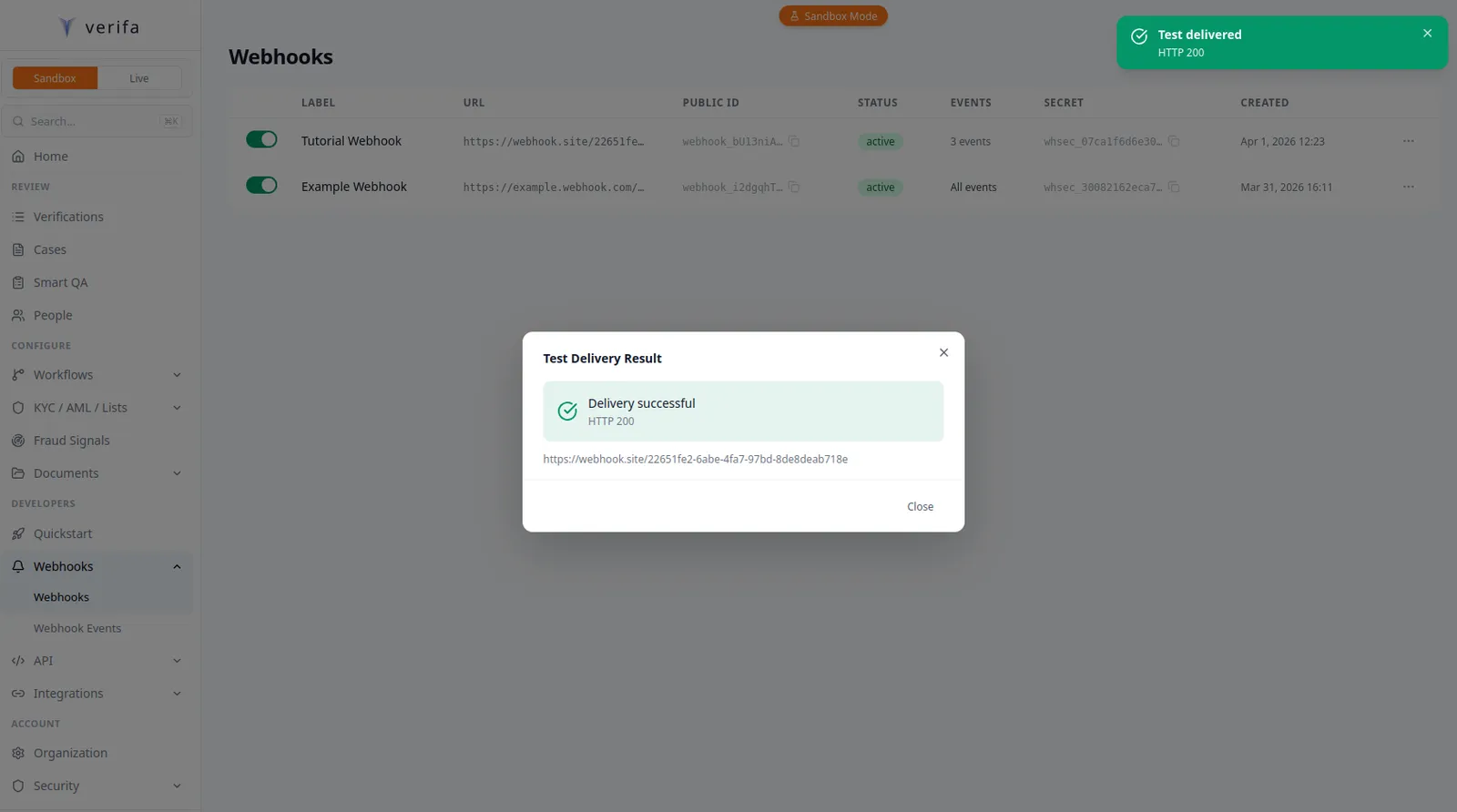
A Test Delivery Result modal appears showing the outcome — a green checkmark with “Delivery successful” and the HTTP status code, or an error if your server rejected it.
From the API
The test sends a verification.test event to your endpoint, signed with your
endpoint’s secret:
Any 2xx response from your server counts as success.
Troubleshooting
If the test fails, check:
- Is ngrok running and forwarding to the correct port?
- Is your
VERIFA_WEBHOOK_SECRETset correctly? - Are you reading the raw body (not parsed JSON) for verification?
Step 5: Trigger a real event
Create a verification session in sandbox mode to trigger a real webhook.
Create a session
Complete the capture flow
Open the capture_url from the response in your browser and walk through the
verification steps (document upload, selfie, etc.). In sandbox mode, sessions
move to sandbox_pending status after capture, and you’ll be prompted to
choose a verification outcome (e.g., approve or decline).
Once you select an outcome, Verifa dispatches the corresponding webhook event
(e.g., session.approved or session.declined) to your endpoint.
Sandbox sessions do not auto-complete. You must finish the capture flow and select an outcome to trigger webhook events.
Step 6: Handle retries and duplicates
Verifa retries failed deliveries with exponential backoff. Your handler should be prepared for this.
Retry schedule
After 5 failed attempts, the delivery is marked as failed. If 10 consecutive deliveries fail (across all events), the endpoint is automatically disabled and your org admins receive an email notification.
Deduplication
Every webhook payload includes an idempotency_key — a unique identifier for
that specific delivery (e.g. idk_a1b2c3d4e5f6...). If Verifa retries a
delivery, the same idempotency_key is sent again, so you can use it to detect
and skip duplicates:
Node.js
Python
Go
Ruby
PHP
Java
C#
Step 7: Rotate your signing secret
If your webhook secret is compromised, rotate it immediately.
From the dashboard
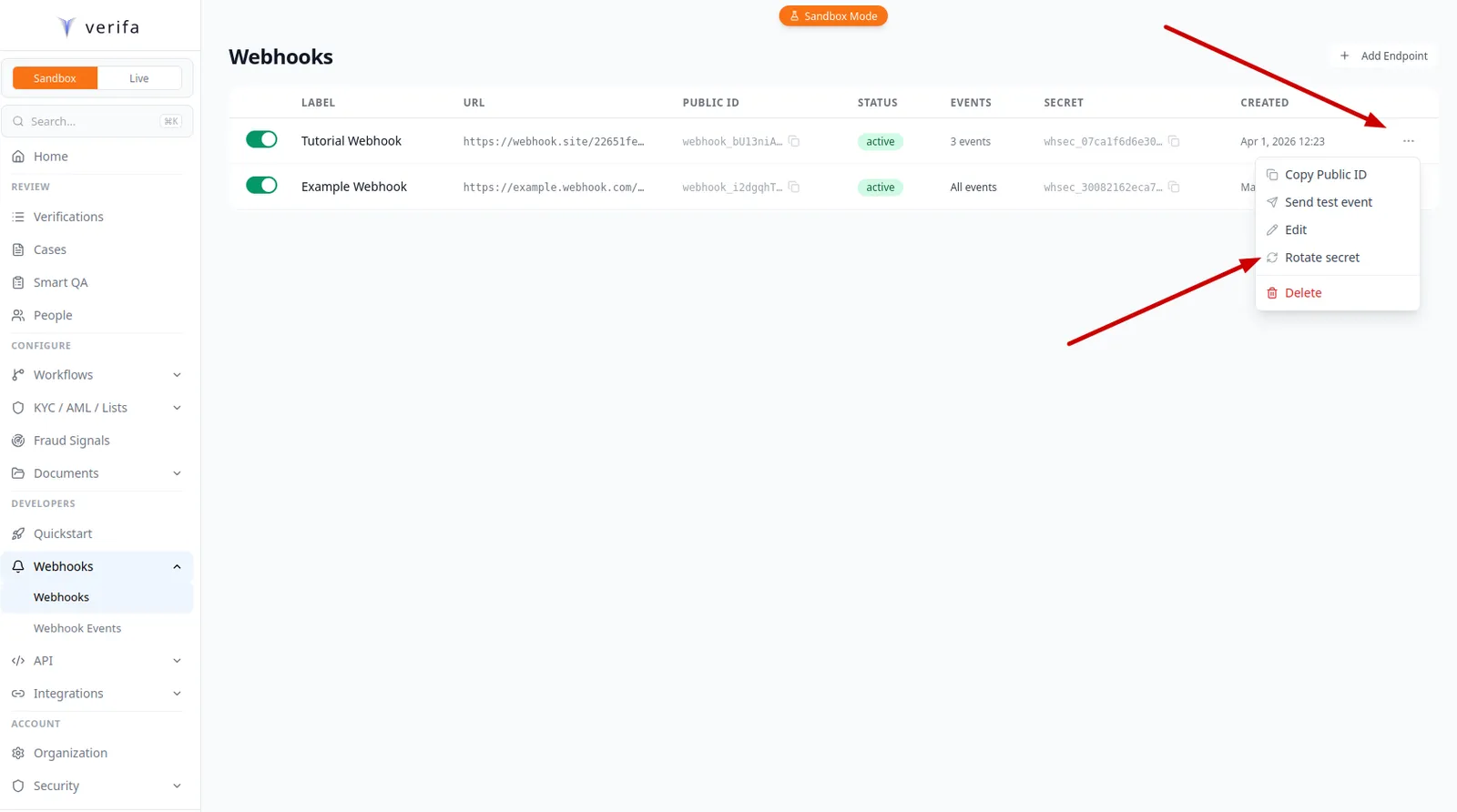
On the Webhooks list page, click the … menu on your endpoint’s row and select Rotate secret.
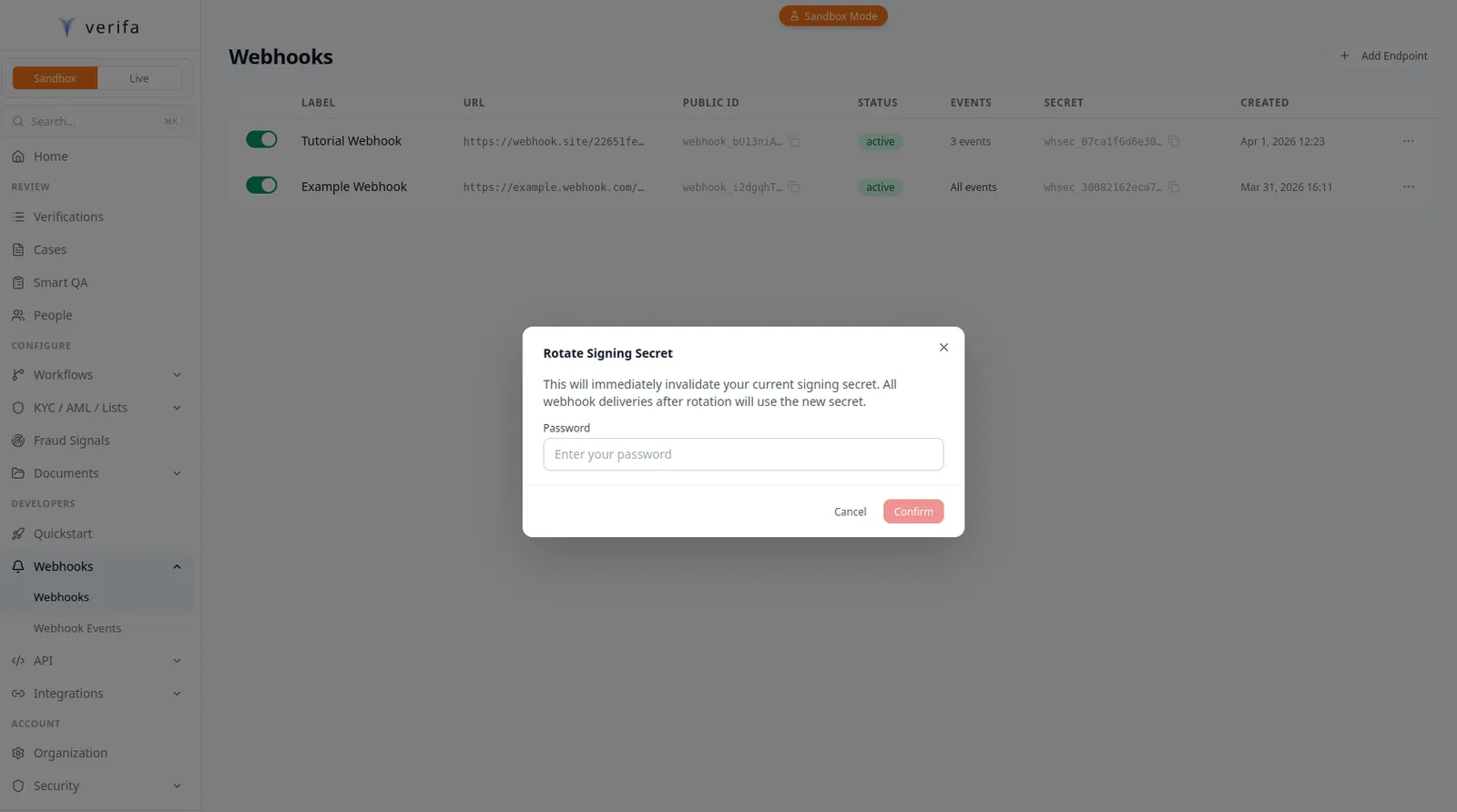
A Rotate Signing Secret modal warns that this will immediately invalidate your current secret. Enter your account password and click Confirm.
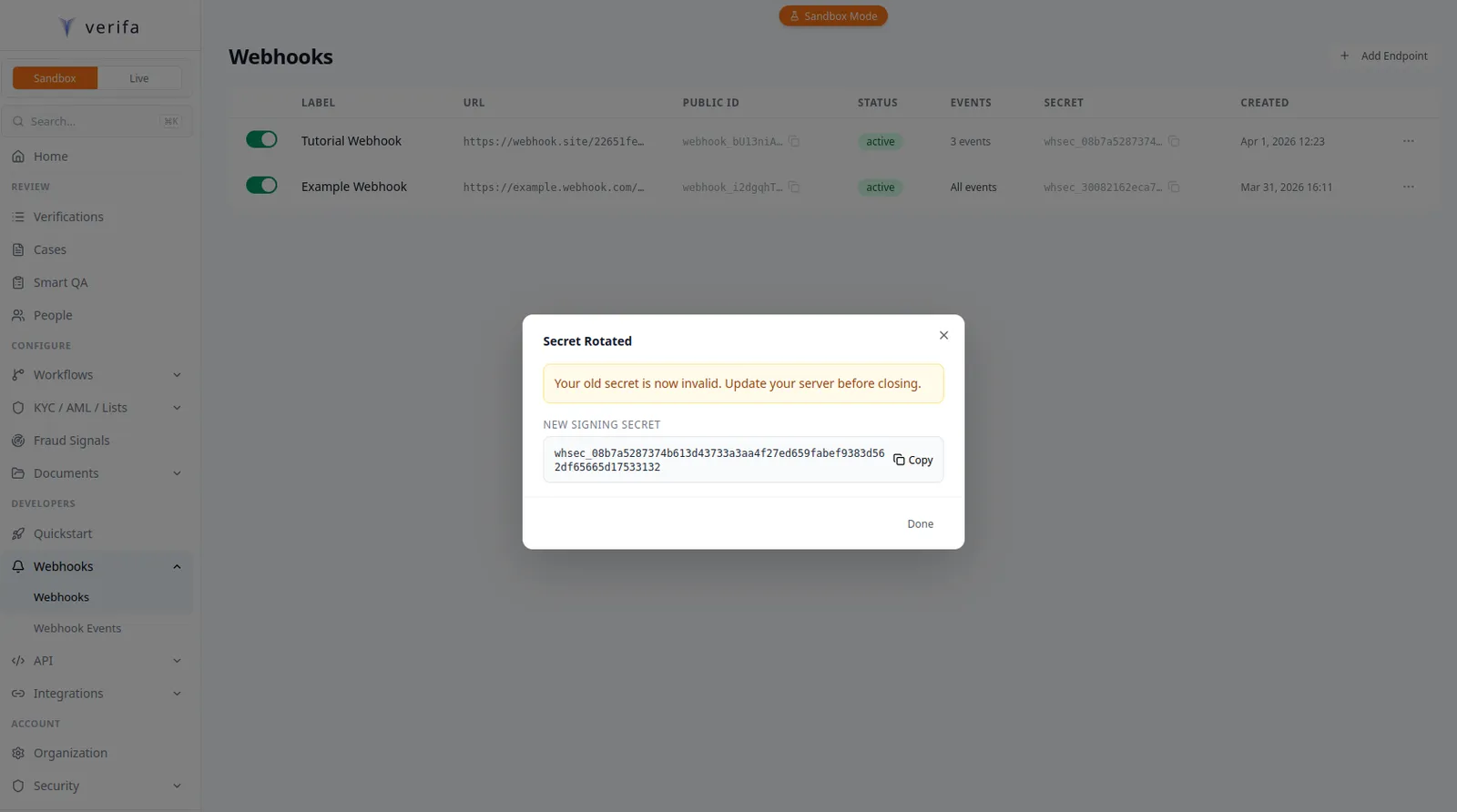
A Secret Rotated modal appears with the new signing secret and a Copy button. The modal warns: “Your old secret is now invalid. Update your server before closing.”
From the API
Update your environment variable with the new secret. The old secret stops working immediately, so deploy the new secret to your server before or immediately after rotation.
For zero-downtime rotation, clone the endpoint first (POST .../clone), update
your server to accept signatures from either secret, rotate the original
endpoint’s secret, then delete the clone.
Step 8: Check delivery history
Monitor your webhook deliveries to catch failures early.
From the dashboard
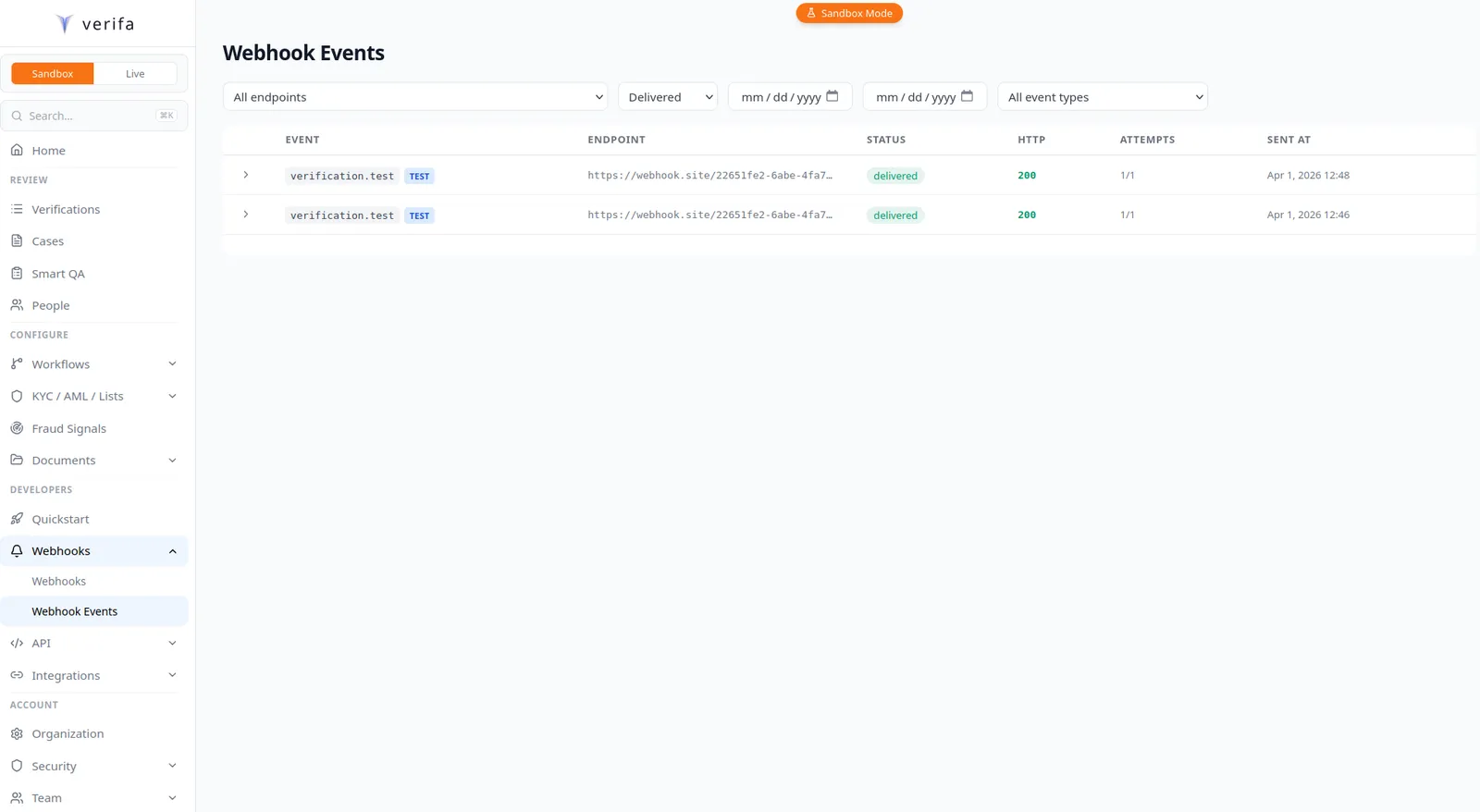
Navigate to Developers > Webhooks > Webhook Events in the sidebar. This page shows all deliveries across your endpoints, with filters for endpoint, status, date range, and event type.
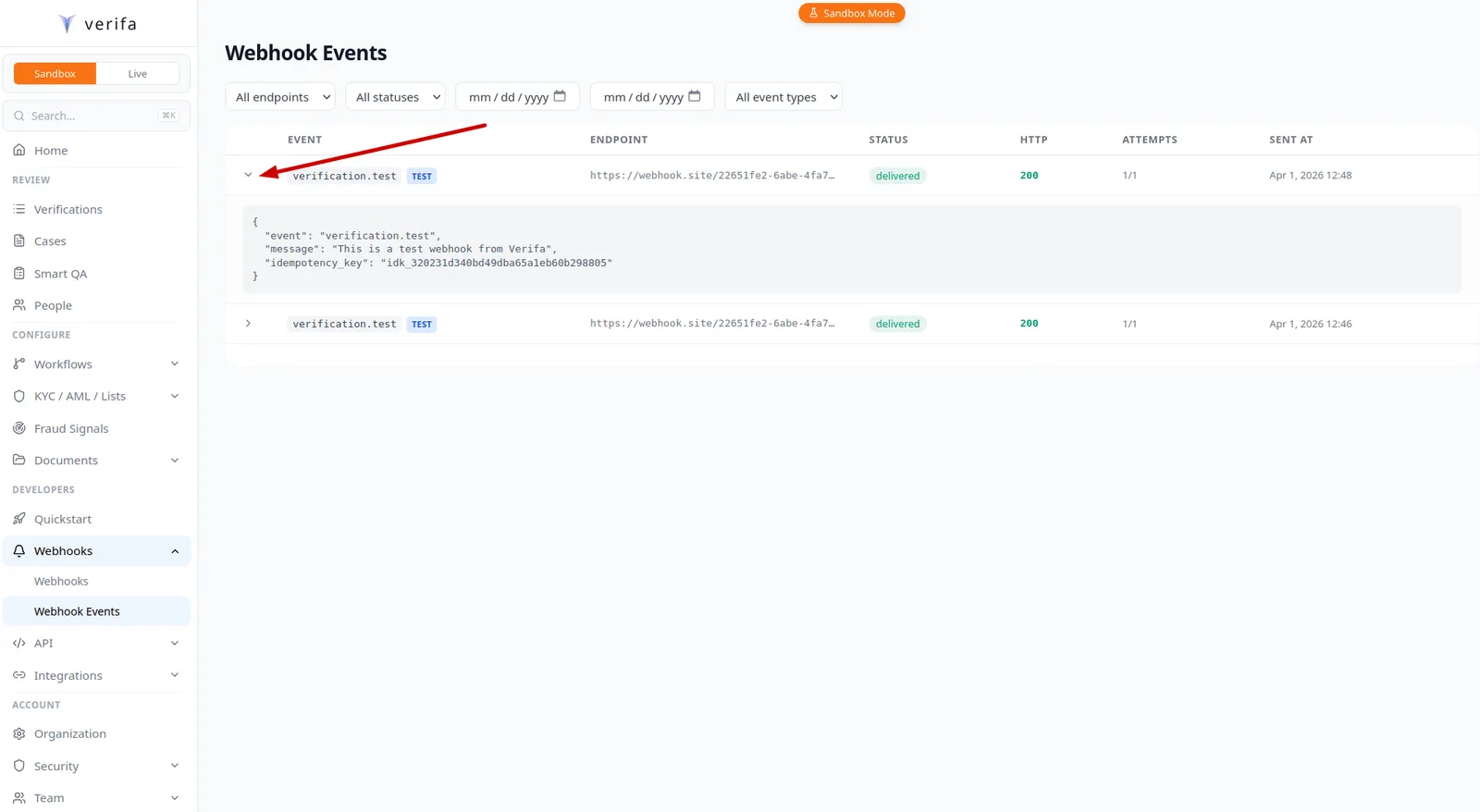
Click the expand arrow on any delivery row to see the full payload, including
the event type and idempotency_key. If a delivery failed, a Retry
button appears on the expanded row.
From the API
To retry a failed delivery:
Common mistakes
Production checklist
Before going live, make sure you’ve covered these:
- Signature verification is working (test with the
/testendpoint) - You’re parsing both
t=andv1=from theX-Verifa-Signatureheader - You’re reading the raw request body for verification
- HMAC input is
f"{t}.{body}"(timestamp, literal., then raw body bytes) - Using constant-time comparison for the signature check
- You’re rejecting deliveries with a
t=outside the 5-minute tolerance window - Returning
200immediately and processing asynchronously - Deduplication logic is in place (backed by a persistent store)
- Webhook secret is in an environment variable, not in code
- Your endpoint is HTTPS (Verifa rejects plain HTTP URLs)
- CSRF protection is disabled for the webhook route
- You’re monitoring delivery health in the dashboard
- You’ve subscribed only to the events you need
- If using a reverse proxy, it forwards the
X-Verifa-Signatureheader unmodified
Next steps
- Webhooks Guide — Full event catalog, event filtering, attribute blocklists, and key inflection
- Webhooks API Reference — Payload format and retry behavior
- Testing — Sandbox mode and test utilities
- Preventing Duplicates — Advanced deduplication strategies